Opti' transforms your Kobo data into analysis tables and narrative reports · directly in Excel, powered by AI.



We feel so much better now, deadlines are met and our analyses are much more relevant.
It used to take us forever with pivot tables that were sometimes even wrong. With Opti' it's done quickly and it's reliable, well done.
It's simply a must-have for a professional like me.
Demo
From raw database to final report · in just a few minutes.
 OptiBot
A MEAL-specialized AI assistant, integrated into Excel and accessible online. Run analyses, ask questions about your data, or generate an XLSForm questionnaire — in plain language, in French or English.
OptiBot understands your request, selects the relevant columns, and automatically generates tables + interpretations.
Ask specific questions about your database. OptiBot explores the data and responds with figures and reasoning.
OptiBot drafts complete XLSForm questionnaires, ready to upload to KoboToolbox or ODK — including choices, constraints, and skip logic.
Methodological advice aligned with humanitarian standards (CHS, SPHERE, OECD-DAC). Onboarding and capacity building for junior staff.
Before / After
⏱ 2 to 3 days
⏱ 20 minutes
Artificial Intelligence
Opti' analyzes each table and automatically writes interpretations · directly in Excel, no additional tools needed.
Click Clean Data: the AI identifies columns with manually entered responses (e.g. "Other, Specify") and automatically standardizes the values to make them usable.
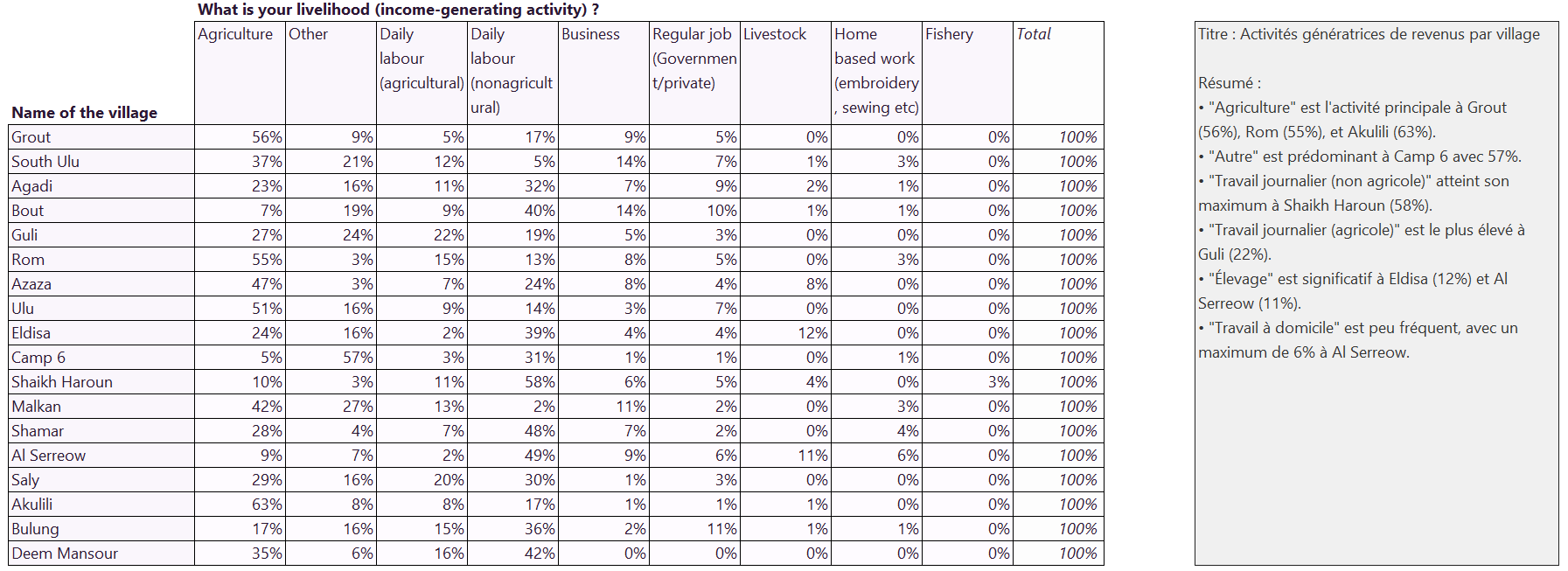
Short and impactful summaries for each generated table.
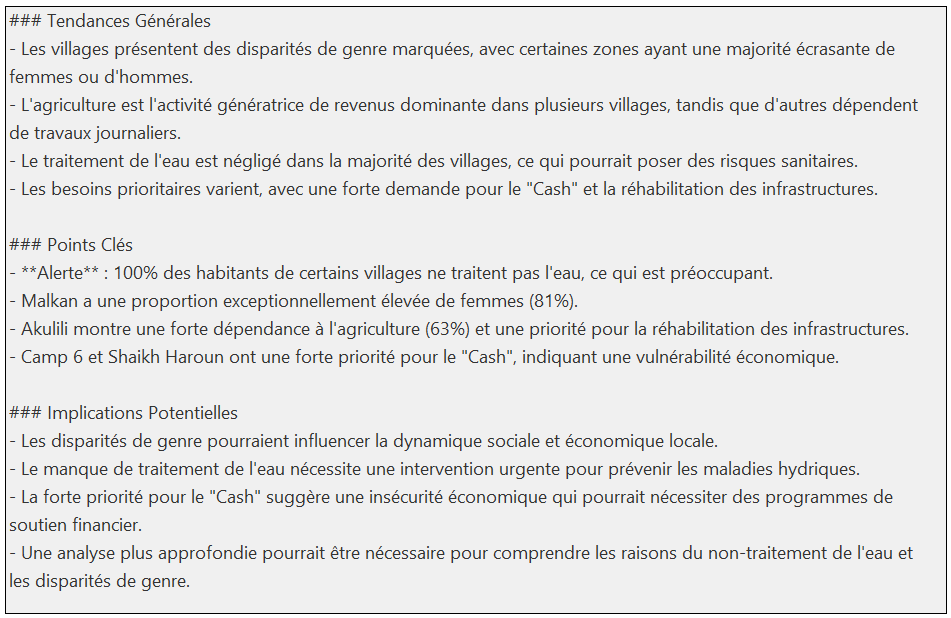
Highlights red flags and key information.
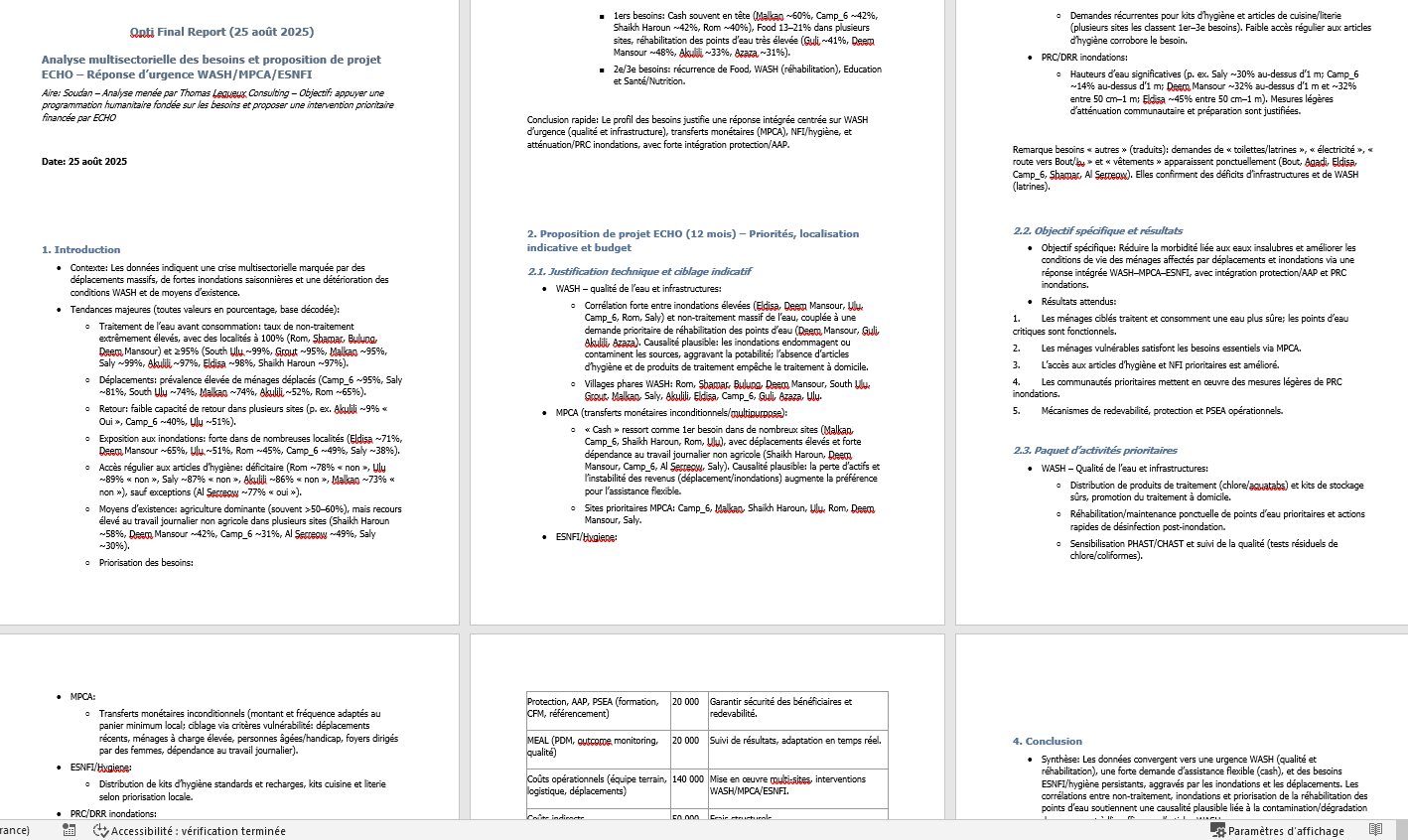
Structured Word file · detailed analysis, protection & accountability alerts, conclusion.
Analysis Engines
Switch engines at any time, depending on your data protection and analysis power requirements.
The leading French AI model. Performance comparable to GPT, European hosting, native GDPR compliance.
The AI runs entirely on your machine. No network connection required, your data stays with you.
Analysis Modes
Each mode supports disaggregation up to 2 levels (e.g., by village and by gender).
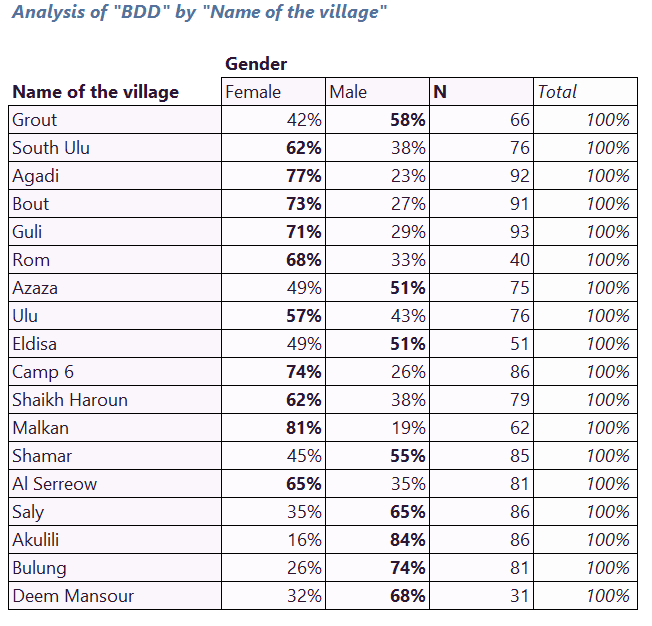
Distribution of unique values by frequency and percentage. For a quick and clear overview of your qualitative data.
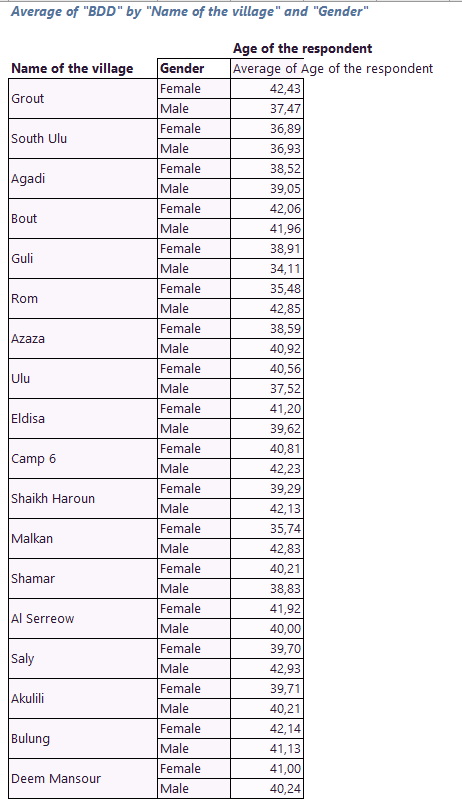
Calculates conditional averages based on your reference columns. Ideal for numerical data and scores.
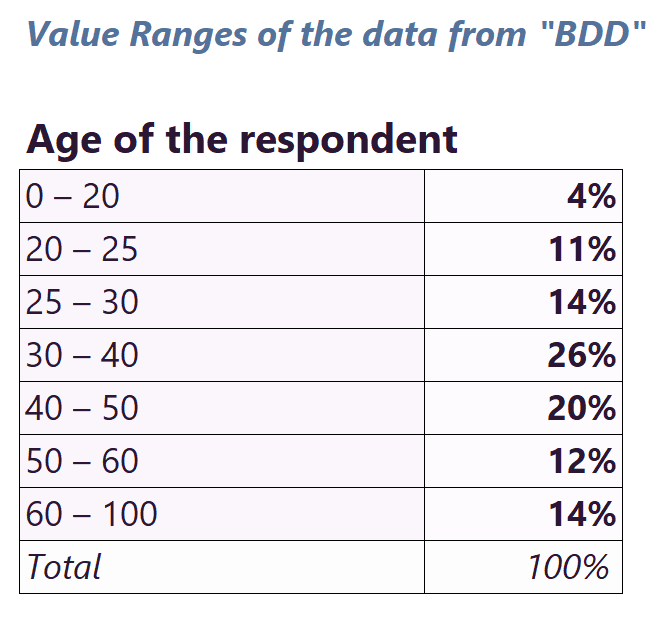
Groups decimal values into ranges to transform continuous data into usable categories.
Tutorial
Follow a complete analysis step by step with Opti'.
Opti' doesn't change your tools · it strengthens what you already have.
Your data never leaves Excel. Offline AI option for maximum confidentiality of beneficiary data.
GDPR compliant. OptiBot checks headers and asks for permission before viewing any sensitive column.
€950/year vs 3 days of analysis saved every week. ChatGPT Pro without framework: €2,880/year.
Works in Excel · no new software, no training. Get started in minutes.
Pricing
The Demo version is free and commitment-free, try it with your real data.
Free
30,000 tokens included, then 1,000 tokens / month to discover the tool
35€ /month · or 250€ /year -40%
300,000 tokens/month · ideal for advanced individual use
99€ /month · or 950€ /year -20%
300,000 tokens/month · full Starter plan, with OptIA included
With OptIA, your analyses are processed on private infrastructure, with no third-party AI provider. Data is purged after each request.
📌 To subscribe to a plan, open Opti' in Excel, then click “Upgrade” at the top right of the window.
Free, no commitment, directly in Excel. 100% compatible with KoboToolbox.
Install for free Install Opti' on your mobile
 Install Opti' on Excel
 Go directly to Opti' online